Driver Booster License Key Not Working? 9 Fixes That Help (2026)
Last updated: October 3, 2026 | Reading time: about 7 minutes | Independent guide, not affiliated with IObit
You paste your key, click Activate, and Driver Booster 13 refuses it. A Driver Booster license key not working is frustrating, but the cause is almost always one of a short list of fixable problems. This guide walks through each one in the order that saves you the most time, with examples so you can match your situation quickly.
Quick answer: Most failures come from five causes: the key belongs to a different product or version, the key has hit its device limit, the key has expired, a typing or copy-paste error, or your PC cannot reach IObit’s activation server. Try the fixes below in order. The first four take under five minutes.
Quick Diagnosis Table
| What you see | Most likely cause | Go to |
|---|---|---|
| An invalid or incorrect code message | Typo, wrong version, or a key that was never genuine | Fix 1 and Fix 2 |
| A message that the code was already used or the limit was reached | Device limit on the license | Fix 3 |
| Pro worked before but now shows Free | License or giveaway term has ended | Fix 4 |
| Network error, timeout or cannot connect | Internet, VPN, proxy or firewall | Fix 5 and Fix 8 |
| Activation window will not open or the app crashes | Corrupted or outdated installation | Fix 7 |
| Everything looks right but it still fails | Order or account issue | Fix 9 |
The exact wording of error messages differs between versions, so match by meaning rather than by exact text.
9 Fixes for a Driver Booster License Key That Is Not Working
✅ Fix 1: Confirm the Key Matches Your Product and Version
License keys are issued for a specific product and, in many cases, a specific major version. Open the app’s menu and note the version number before you try again.
| Key type | Will it work on Driver Booster 13? |
|---|---|
| Driver Booster 13 key | Yes, if unused and unexpired |
| Driver Booster 12 key | Not guaranteed, because keys can be tied to a major version |
| Key for another IObit product | No, each product uses its own keys |
Example: Maya bought Driver Booster 12 in 2025. In 2026 she installed version 13 and her old key was rejected. She had two choices: install version 12 again, or check IObit’s official upgrade and discount offers for version 13.
✅ Fix 2: Retype the Key and Remove Hidden Characters
Copy-paste often adds a trailing space or a hidden character. Look-alike characters are another common culprit when you type a key from a screenshot or printed email.
| Often confused | Look closely at |
|---|---|
| Zero and the letter O | 0 and O |
| One, capital I and lowercase L | 1, I and l |
| Eight and B | 8 and B |
| Five and S | 5 and S |
| Two and Z | 2 and Z |
What to do:
- Paste the key into Notepad first to see exactly what you copied
- Delete any space before or after the key
- Type it by hand if pasting still fails
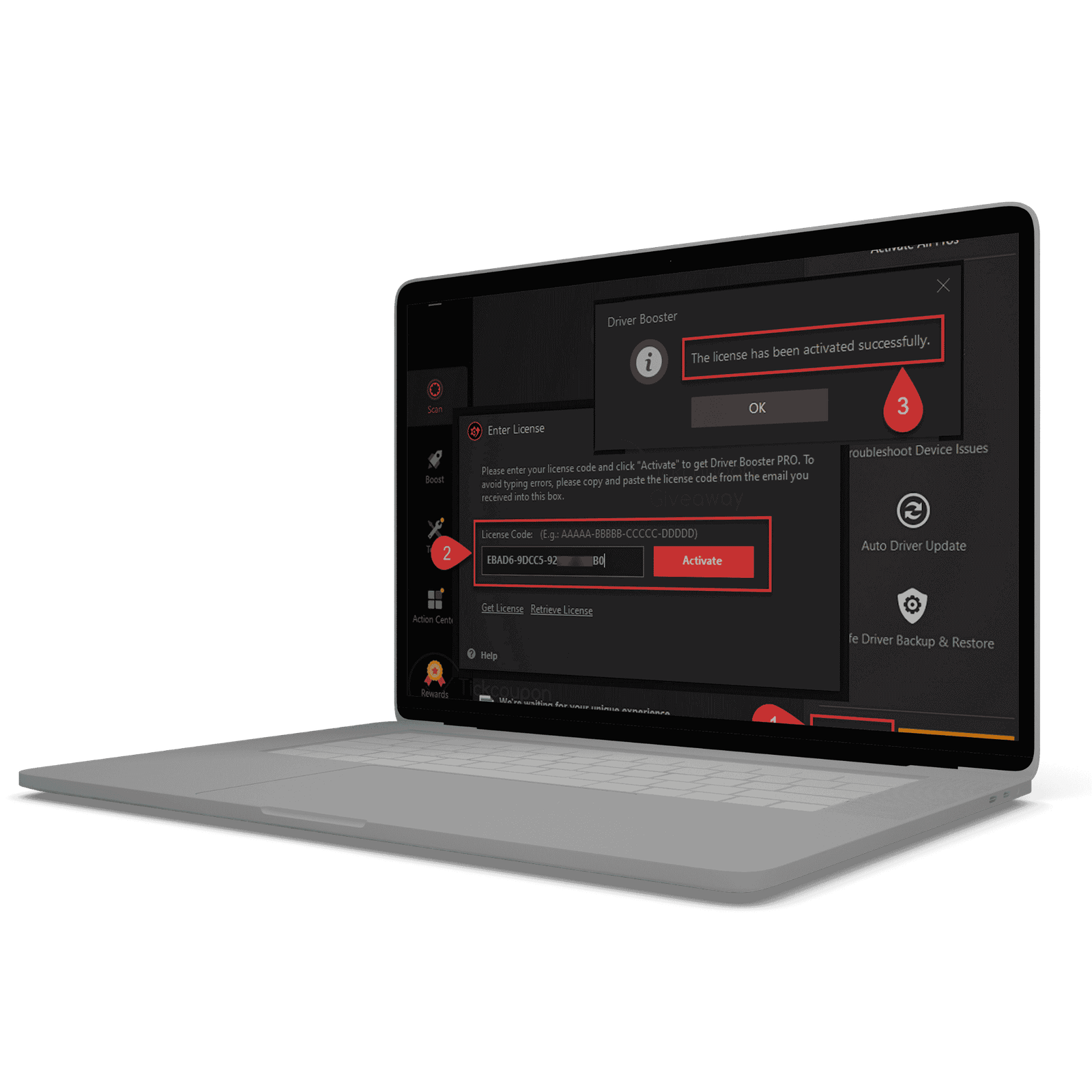
- Enter it in Menu → Enter License and click Activate
Keys are typically groups of letters and numbers separated by hyphens. This is an example of the format only, not a working key:
XXXXX-XXXXX-XXXXX-XXXXX✅ Fix 3: Check the Device Limit
Some licenses cover several computers. For example, a 3-PC license can be active on three machines. A fourth activation will fail even though the key is genuine.
Example: Imran activated his 3-PC license on a desktop, a laptop and an office PC. When he tried a fourth computer, activation failed. He removed Driver Booster from the old laptop and contacted support to free up that slot.
If you no longer use one of the computers, uninstall the program there and ask IObit support how to release the activation.
✅ Fix 4: Check Whether the License Has Expired
If Pro worked before and now shows the Free edition, open Menu → My Subscription and read the expiry date. Time-limited giveaway codes end on a fixed date even if the promotion page is still online.
| License term | Redeemed on | Expires around |
|---|---|---|
| 6 months | April 20 | October 20 |
| 1 year | January 10, 2026 | January 10, 2027 |
An expired license cannot be reactivated by retyping it. You need a new code or a renewal.
✅ Fix 5: Check Your Internet, VPN and Proxy
Activation needs a connection to IObit’s servers.
- Confirm your internet works in a browser
- Turn off any VPN or proxy and try again
- Switch from public Wi-Fi to a home network or mobile hotspot
- Wait a few minutes and retry, since servers can be busy
✅ Fix 6: Correct Your Date, Time and Time Zone
A wrong system clock can break secure connections. Go to Settings → Time & language → Date & time, turn on automatic time and time zone, then sync now and retry.
✅ Fix 7: Reinstall the Latest Official Version
- Uninstall Driver Booster from Settings → Apps
- Restart your PC
- Download the latest installer from IObit’s official website
- Install it, open it and enter the key again
Old or modified installers are a common reason activation windows fail. Never use a patched or repacked installer.
✅ Fix 8: Check Security Software and the Firewall
Antivirus or firewall tools can block the connection that verifies your key. If you downloaded the program from the official site, add it to your firewall’s allowed list or pause protection briefly, activate, then turn protection back on.
Important: Never switch off your security software to run a file or key from an unknown website. A request to do that is a strong sign of malware.
✅ Fix 9: Contact IObit Support With Proof of Purchase
If the key was bought from IObit or an authorized seller and still fails, support can check the order. Send everything in one message so they do not need to ask twice. You can adapt this template:
Subject: Driver Booster 13 license key not working

Hello IObit Support,
My license key will not activate in Driver Booster 13.

Order email: your-email@example.com
Order number: XXXXXXXX
License key: XXXXX-XXXXX-XXXXX-XXXXX
Driver Booster version: 13.x
Windows version: Windows 11
Error message: (describe it or attach a screenshot)

Thank you.
When the Key Itself Is the Problem
If you copied the key from a public list, a video description or a forum post, the key is the most likely reason it fails. Public codes are shared by thousands of people, so they hit device limits quickly, expire or get blocked. A code’s appearance does not show whether it is genuine.
| Where the key came from | Chance it works | What to do |
|---|---|---|
| Bought from IObit or an authorized seller | High | Work through Fixes 1 to 9 |
| Verified time-limited promotion | Good until it expires | Check the expiry in Fix 4 |
| Forum, video or blog list | Low | Get a legitimate license instead |
| Key generator or crack | Do not use | Scan your PC for malware |
Looking for a legitimate option? Read Driver Booster 13 Pro Free License: Legit Ways to Get Pro. To see every activation step again, use How to Activate Driver Booster 13.
Quick Checklist Before You Give Up
- Is the key for Driver Booster and for version 13?
- Did you remove spaces and check look-alike characters?
- Is the license within its device limit?
- Has the license term ended?
- Is your internet working with VPN and proxy off?
- Are the date and time correct?
- Did you install the latest version from the official site?
- Have you contacted support with your order details?
Frequently Asked Questions
Why does my key work on one PC but not another?
The usual reasons are the device limit, a different version installed on the second PC, or a network restriction there.
Can I move my license to a new computer?
Often yes, within the license terms. Remove the program from the old PC and activate on the new one. If the limit blocks you, ask IObit support to reset it.
Will reinstalling Windows remove my license?
You can usually enter the same key again after reinstalling, as long as you stay within the device limit.
Is it worth trying keys from online lists?
Usually not. They are often expired, overused or tied to another version, and some pages hide malware. See Is Driver Booster 13 Safe? for safe-use advice.
My giveaway code worked for a while and then stopped. Why?
Most likely the term ended. Check Menu → My Subscription for the expiry date.
Final Thoughts
A license key that will not work is rarely a mystery. Check the product and version, retype the key, confirm the device limit and expiry date, and make sure your PC can reach IObit’s servers. If a genuine purchase still fails, support with your order details is the fastest route.
Browse all our guides on the Driver Booster 13 Key homepage.
One Comment